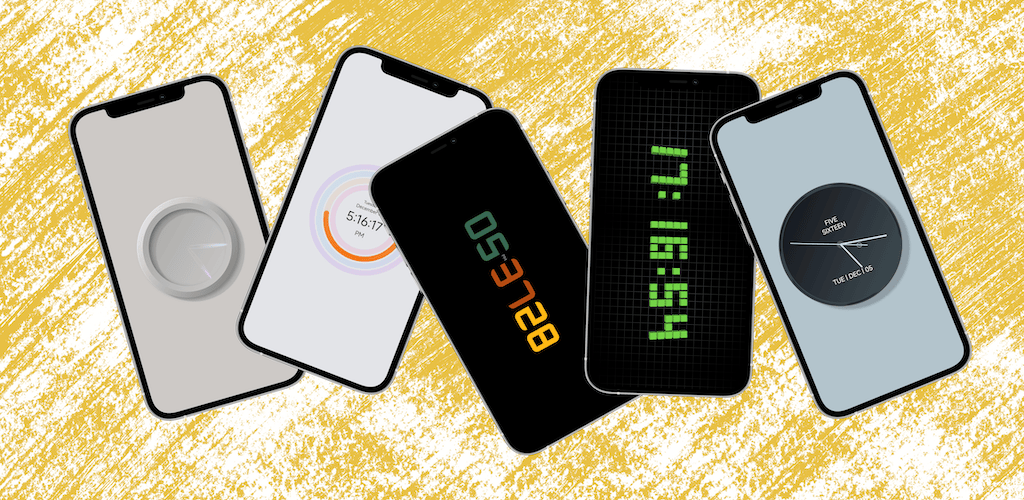
If you’re looking for a minimalist, ad-free clock app that also works as a home screen widget, Creative Clock is worth a try.
The app keeps things simple: it makes time display look good and work well. It offers 8 clock styles, including the classic flip clock, minimalist digital clock, analog clock, and roulette clock — so whether you prefer a retro vibe or clean modern lines, there’s a style for you.
Key Features:
Home screen widgets are a highlight. On iOS 14 and later, you can place the clock directly on your home screen — no need to open the app just to check the time. The flip clock style is particularly pleasing to look at, making it a nice little desk accessory.
Full-screen minimalist mode works well as a bedside clock or focus timer. Dark mode plus a clean interface means it won’t be harsh on your eyes at night. You can also use the Shortcuts app to auto-launch when charging, turning it into a screensaver-style clock — perfect for a desk or nightstand.
Most importantly: no ads at all. Many free clock apps stuff banner ads into the interface; Inno Clock skips that entirely for a much cleaner experience.
Who is it for? If you’re a minimalist design lover who wants a clean, distraction-free interface, or if you need a good-looking, functional clock for your desk or nightstand, this app is for you.
How to Get It: Search “Inno Clock” on the App Store.